

For decades, the rule of Hi-Fi was simple: if you wanted great sound, you had to pay a fortune and fill your room with ugly black boxes. Then came WiiM.
WiiM has completely disrupted the audio industry by doing the impossible: building streamers and amplifiers that compete with equipment costing three times the price. They are slick, software-rich, and incredibly affordable.
But with the new "Ultra" and "Amp" lines arriving, the choice can be confusing. Which WiiM device is actually right for you?
We’ve broken down the collection based on real-world scenarios to help you find your perfect match.
Comparison Table: Which WiiM?
| Model | Best For... | Key Feature |
| Pro Plus | Upgrading old Amps | Premium AKM DAC |
| Amp | TV / Living Room | HDMI ARC + 60W Amp |
| Amp Ultra | Premium Living Room | 100W Power + Touchscreen |
| Ultra | Desktop / Turntables | Touchscreen + Phono Stage |
| Vibelink | Powering Passive Speakers | 100W PFFB Power (No Streamer) |
| Sound | Kitchen / Bed | All-in-One + Touchscreen |
Scenario 1: "I have a vintage stereo I love, but I want to stream Spotify/Tidal."
The Solution: WiiM PRO PLUS Music Streamer
You already have an amplifier and speakers that sound great. You just need to bring them into the 21st century.
The WiiM Pro Plus is a dedicated streamer. You plug it into your existing amp via RCA, and suddenly your old system has AirPlay 2, Chromecast, Spotify Connect, and Tidal Connect.
Why the "Plus"?
The standard 'Pro' is good, but the 'Pro Plus' features a premium AKM DAC (Digital-to-Analog Converter). This means the sound quality coming out of it is audiophile-grade, breathing new life into vintage gear without needing an external DAC.
"The WiiM Pro Plus is an outstanding value... it’s the perfect entry point into the world of high-res audio streaming." — TechRadar 1

Scenario 2: "I want a modern 'Just Add Speakers' system for the living room."
The Solution: WiiM AMP Music Streaming Amplifier OR WiiM AMP ULTRA Music Streaming Amplifier
You don't want a stack of equipment. You want one sleek box that powers your bookshelf speakers and connects to your TV.
- Choose the WiiM AMP Music Streaming Amplifier if you have a smaller room or efficient speakers. With 60 Watts per channel and HDMI ARC, it replaces a soundbar perfectly.

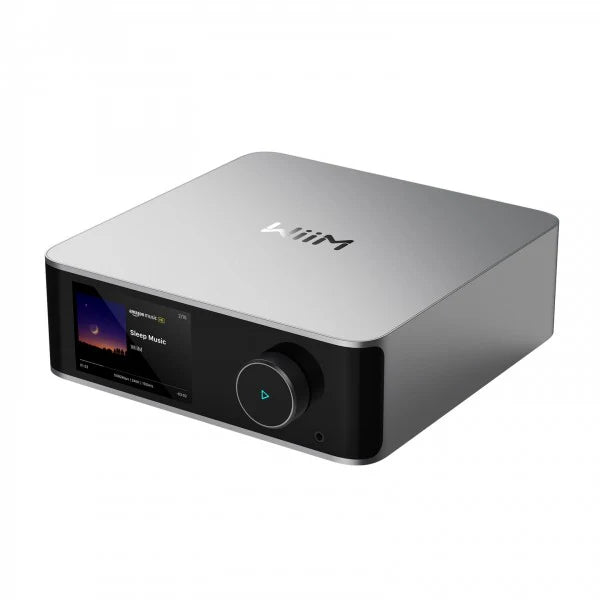
- Choose the WiiM AMP ULTRA Music Streaming Amplifier if you want the flagship experience. It bumps the power to 100 Watts per channel, capable of driving large floor-standing speakers. Plus, it features a gorgeous 3.5" touchscreen that displays album art and VU meters, making it a stunning centrepiece.
"The WiiM Amp is a stream-everything receiver with Mac Mini vibes... excellent value." — The Verge

Scenario 3: "I listen at a desk, use headphones, or have a Turntable."
The Solution: WiiM ULTRA MUSIC Streamer With Touch Screen
This is the ultimate "digital hub." Unlike the Pro Plus, the WiiM Ultra features a glorious 3.5" full-colour touchscreen and a premium volume knob.
Why it’s special:
- Phono Input: Connect your turntable directly—no pre-amp needed.
- Headphone Amp: A dedicated high-fidelity headphone output for late-night listening.
- Visuals: Seeing the album art on your desk adds a tactile connection to your music.
"With remarkable versatility for its affordable price, the Ultra is a hugely appealing design that's a joy to use." — What Hi-Fi?
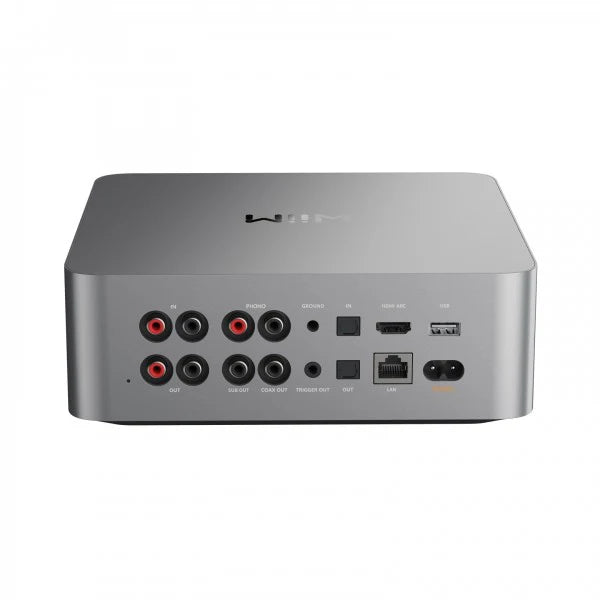
Scenario 4: "I need serious power for a Home Cinema or Custom Install."
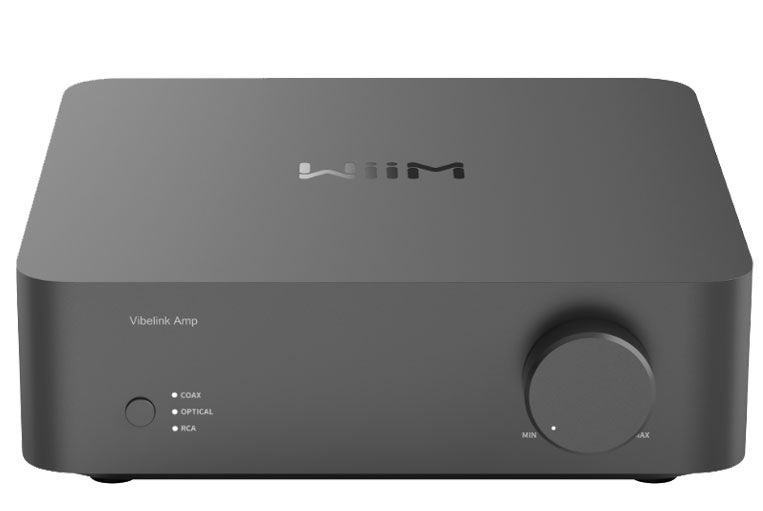
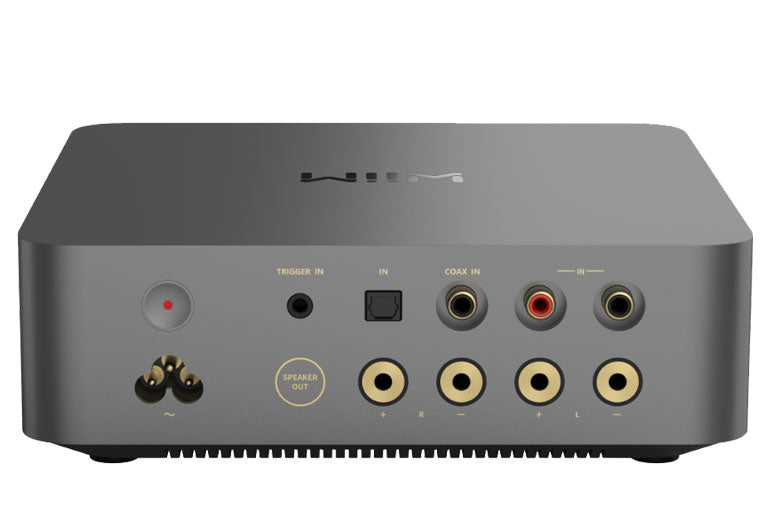
The Solution: WiiM VIBELINK AMP Power Amplifier
Sometimes you don't need the "brains" inside the amp because you already have a streamer (like the WiiM Ultra). You just need raw, clean power.
The Vibelink Amp delivers 100 Watts per channel and uses advanced PFFB technology. This ensures that the sound remains completely neutral regardless of what speakers you connect. It is the perfect partner to "stack" underneath a WiiM Ultra to give it serious muscle.
For professional installers, we also stock the WiiM MOD S and MOD A80, designed specifically for rack-mounted, hidden audio systems.
Scenario 5: "I want wireless music in the Kitchen or Bedroom."
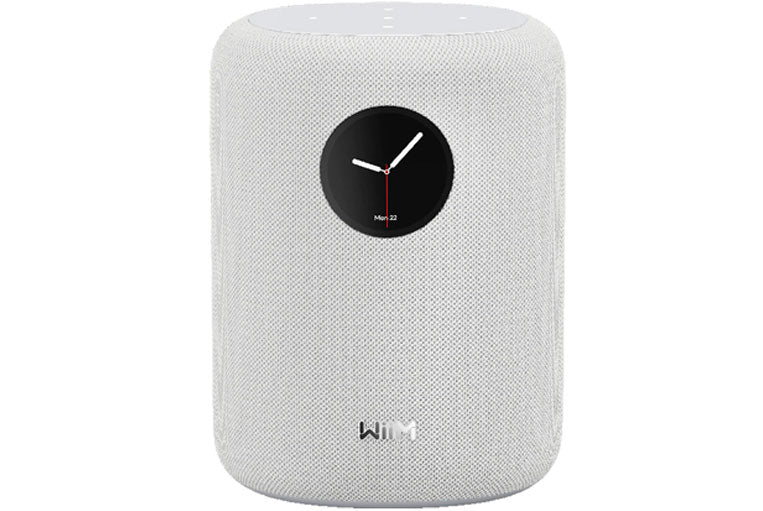
The Solution: WiiM SOUND Speaker With Touch Screen
If you don't have passive speakers and just want an all-in-one wireless unit, this is WiiM's answer to Sonos.
However, unlike a standard smart speaker, the WiiM Sound features a built-in touch display. You can glance over to see what track is playing or adjust the volume without fumbling for your phone. It delivers high-resolution audio in a compact, stylish package.
Scenario 6: "I need more Bass."
The Solution: WiiM SUB PRO Wireless Subwoofer
Whether you are using the WiiM Amp, the Sound speaker, or the Ultra, the Sub Pro adds the cinematic rumble you are missing.
It connects wirelessly to other WiiM devices, keeping your floor cable-free. With a 8" driver and a slim profile, it fills the room with low-end energy without dominating your decor.
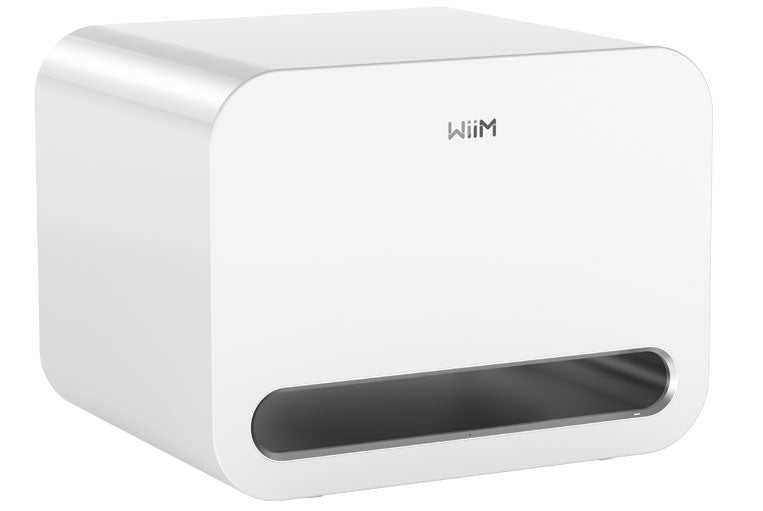
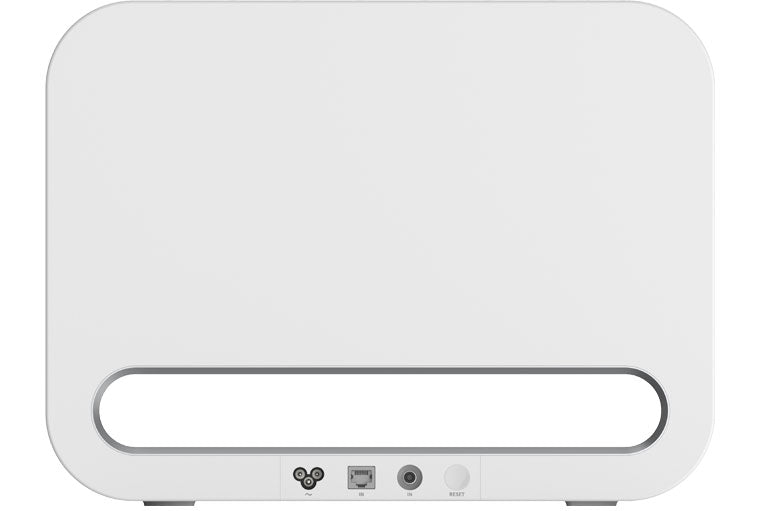
A Guide to Ports & Connections
Understanding what goes where is half the battle. Here is a breakdown of the ports you will find on the back of these WiiM devices and how to use them.
1. The Ports Explained
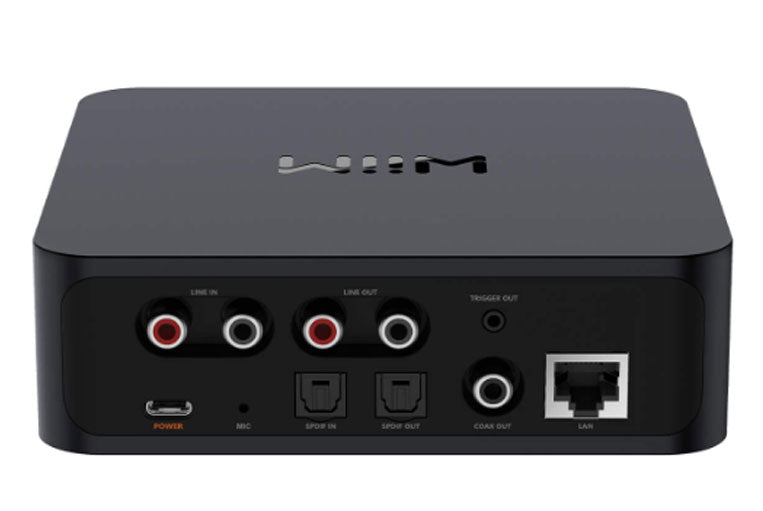
WiiM Pro Plus (The Streamer)
Since this connects to an existing amp, it has both inputs and outputs.
- Line Out (RCA): Connects to your old amplifier/receiver (Main use).
- Line In (RCA): To plug in a CD player or Turntable (with preamp) to stream to other rooms.
- Optical In/Out & Coax Out: Digital connections for higher-end DACs or Receivers.
- Trigger Out: Automatically turns on your amplifier when you start playing music.
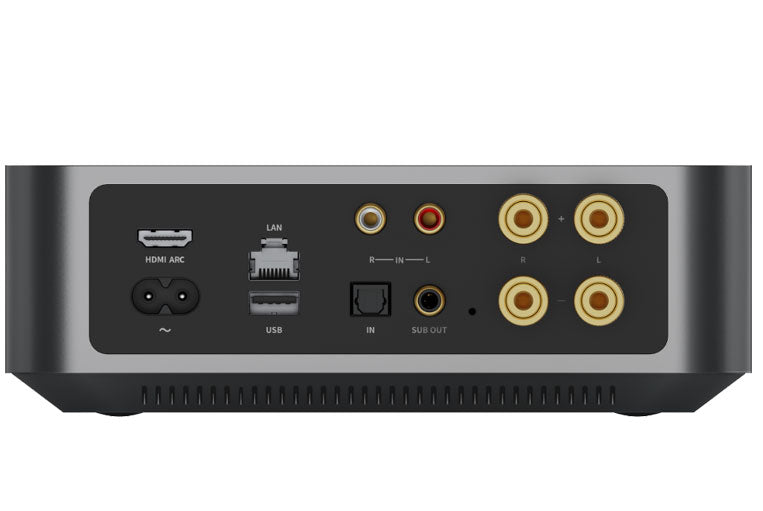
WiiM Amp / Amp Ultra (The All-in-Ones)
These replace your receiver, so the focus is on inputs and speaker power.
- Speaker Terminals: Binding posts to connect your passive speakers (Left and Right).
- HDMI ARC: Connects to your TV so the remote controls volume.
- Sub Out: Connects to a powered subwoofer (like the WiiM Sub Pro) for extra bass.
- USB: For playing music files from a flash drive.
- Phono In (Amp Ultra Only): Direct connection for a turntable.
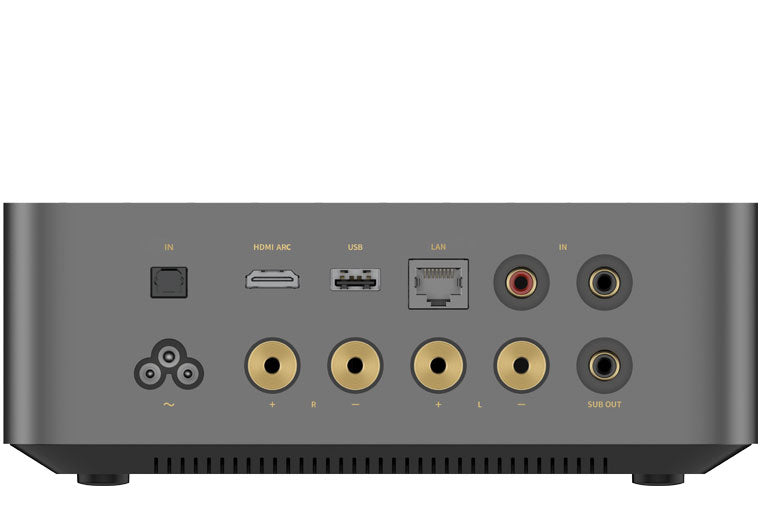
WiiM Ultra (The Hub)
Designed to sit on a desk or rack, it has the most connectivity.
- Phono In + Ground: Dedicated turntable input.
- Headphones (Front): 3.5mm jack for private listening.
- HDMI ARC: For TV connection.
- Line Out/Sub Out: To connect to power amps or subwoofers.
How to Connect Your Cables
1. Connecting Speaker Wire (For WiiM Amp & Vibelink)
Connecting bare wire to the binding posts on the back of the WiiM Amp is easier than it looks. Just follow these steps:
- Strip the Wire: Use wire strippers to remove about 10-15mm of the plastic casing from the end of the speaker wire, exposing the copper strands.
- Twist the Copper: Twist the exposed copper strands tightly so there are no stray wires sticking out (stray wires can cause a short circuit!).
- Unscrew the Terminal: On the back of the Amp, unscrew the plastic cap of the binding post (Red is positive, Black is negative) until you see the small hole in the metal post.
- Insert & Tighten: Thread the twisted copper wire into the hole. Screw the plastic cap back down tightly to clamp the wire in place.
Crucial Rule: Always connect Red to Red (+) and Black to Black (-). If you cross them, your sound will lack bass and feel "hollow."
Pro Tip: If you want a cleaner look, you can buy "Banana Plugs." These attach to your wire and simply pop directly into the centre of the WiiM binding posts.
2. Connecting RCA Cables
RCA cables are the standard red and white plugs used for the WiiM Pro Plus, Ultra, and turntables.
- Colour Matching: It is as simple as matching colours. Plug the Red plug into the Red socket (Right Channel) and the White (or Black) plug into the White socket (Left Channel).
-
In vs. Out:
- Use "Line Out" on the WiiM if you are sending music to an amplifier.
- Use "Line In" on the WiiM if you are playing a CD Player/Turntable through the WiiM system.
Frequently Asked Questions
Q: Can I group these for multi-room audio?
A: Absolutely. You can group a WiiM Amp in the lounge with a WiiM Sound in the kitchen to play the same music perfectly in sync throughout your home.
Q: Do I need an App?
A: The WiiM Home App is excellent, but you aren't forced to use it. All these devices support Spotify Connect, Tidal Connect, Chromecast, and AirPlay 2, so you can just use the music apps you already know and love.
Q: Does the WiiM Amp work with my TV remote?
A: Yes! Both the WiiM Amp and Amp Ultra have HDMI ARC. Connect them to your TV, and your standard TV remote will control the volume. It’s a soundbar killer.
Ready to build your system?
Contact Us
if you need any help in choosing a projector or screen to get the exact setup you need. We can provide custom build screens as well as cabinets and sound systems to match.
01924 589 589 / Email / Live Chat